Why it matters
Make the security work you already do visible
Secure development is invisible by default. The SBOMs, the assessed findings, the signed releases - none of it reaches the people who ask whether your software is safe to buy, deploy or depend on. The badge gives that work a public address.
It answers the question in one click, in the place where it comes up - a security questionnaire, a tender document, a README, a vendor review.
How it works
Get your Badge
The badge is not a self-service asset. It is issued to a named organisation, and every placement points back to the verification page we publish for that organisation.
- 1
You run DevGuard
The badge is for organisations with an active DevGuard subscription, or a self-hosted instance under a support agreement.
- 2
We issue your verification link
Ask the DevGuard team and we add your organisation to the verified register. You receive a permanent URL under /verified/ carrying a SHA-256 verification ID.
- 3
You place the badge
Put it on your website, in your README or in your documentation - always wrapped in a link to your verification URL, so anyone can check it in one click.
Read the terms of use

The badge
Download your prefered variant
Pick the variant that fits the surface. Each one ships as an SVG for the web and as a 2x PNG for places that do not accept vector files.
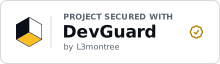
Standard
The default lockup. Works in a website footer, a partner section or a trust bar.
Compact
A single strip for README files, documentation headers and status pages.


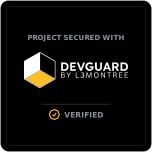
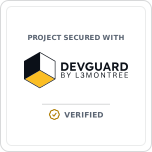
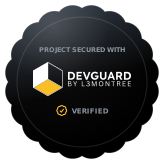
Card
A square emblem for reports, slide decks and about pages, where the badge needs to stand on its own.



Using the badge
How to place it, and what you agree to
The badge only means something for as long as it means the same thing everywhere. Here is the markup to paste, and the conditions that come with it.
Embedding
Replace the placeholder with the verification ID we issue you. Loading the badge straight from devguard.org is recommended - that way you always serve the current artwork.
<a href="https://devguard.org/verified/your-verification-hash">
  <img src="https://devguard.org/badge/secured-by-devguard-dark.svg"
       alt="Project Secured with DevGuard by L3montree" width="220" height="64" />
</a>[](https://devguard.org/verified/your-verification-hash)
The alt text is part of the badge. Keep it as it is, so screen readers and search engines read the same statement everyone else sees.
Terms of use
Short, and not negotiable. Displaying the badge means you accept these terms.
- 01
The badge may only be used by organisations that DevGuard has verified and issued a verification link to.
- 02
Every placement must link to your own verification URL. A badge without that link is not permitted.
- 03
Do not change the artwork: no recolouring, redrawing, cropping, rotating or re-lettering, and no removing the L3montree credit. Scale it proportionally and leave clear space around it.
- 04
The badge states that you use DevGuard. It is not a certificate, an audit result or a security guarantee, and must not be presented as one.
- 05
Use it on your website, repositories, documentation and presentations. Paid advertising, product packaging, or any use suggesting a partnership or endorsement needs our written consent.
- 06
We can withdraw permission at any time - for example when you stop using DevGuard, or when the badge is used misleadingly.
- 07
The DevGuard name and mark remain ours. This is a limited, revocable, non-transferable and royalty-free licence to display the badge.