View Vulnerability Event History
DevGuard automatically records every action taken on vulnerabilities, creating an audit trail of decisions and justifications. Access this event history on each vulnerability’s detail page.
Event timelines provide comprehensive audit trails for compliance frameworks like ISO 27001, SOC 2, and CRA. Every vulnerability decision includes timestamps, user attribution, and justification.
Prerequisites
Before you begin, ensure you have:
- Access to a DevGuard organization and project
- An asset with scanned vulnerabilities
- Read access to vulnerability details
View Event Details Across Assets
For organization-wide compliance tracking, see Compliance Dashboards for vulnerability metrics and trends that reflect the cumulative impact of these vulnerability events.
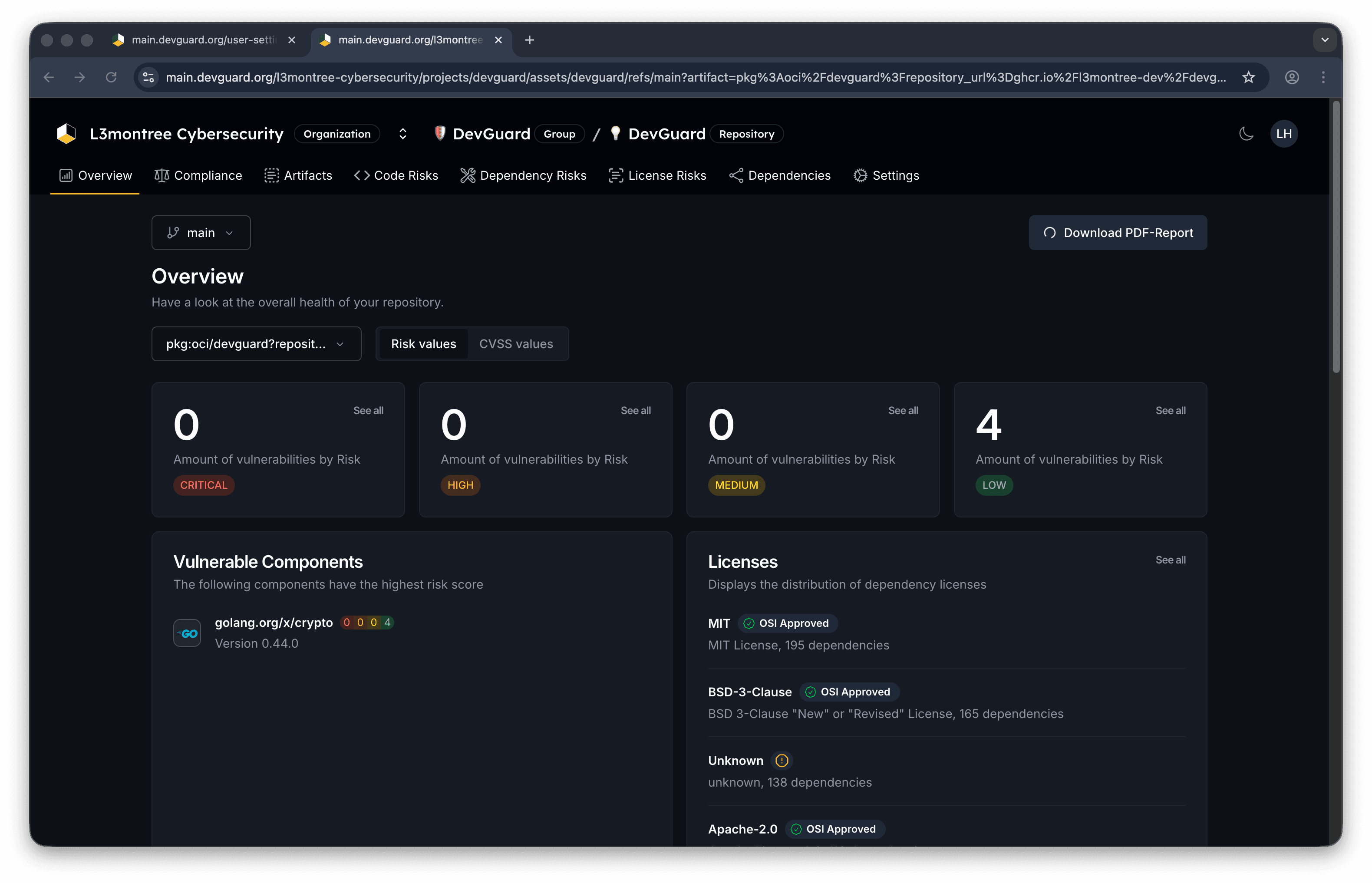
Generate PDF Reports for audits
- Navigate to Organization → Overview
- Select Artifact on the left side.
Exporting for Audits
To include vulnerability event history in compliance documentation:
- Generate CSAF Reports that include event justifications
- Generate VEX Documents that document vulnerability status decisions
These reports can be downloaded and provided to auditors as evidence of your vulnerability management process.
Related Documentation
- Create Vulnerability Events - Add and manage events
- Compliance Audit Trails - Understand audit logging concepts
- Generate CSAF Reports - Export event justifications
- Vulnerability Lifecycle - Understand decision workflows